Troubleshooting
Most Orchard errors fall into three buckets: a feature is Pro-gated or turned off, a macOS permission is missing, or Orchard.app isn’t reachable. Find your symptom below.
Feature gating
”… is a Pro feature. Upgrade to Orchard Pro to unlock it…”
Your account is on the Free plan and the tool you called belongs to one of the 8 Pro apps. Upgrade on the Free vs Pro page, or switch to a Free integration (Reminders, Calendar, Clock) for that task.
”… is currently disabled. Enable it in Orchard app settings…”
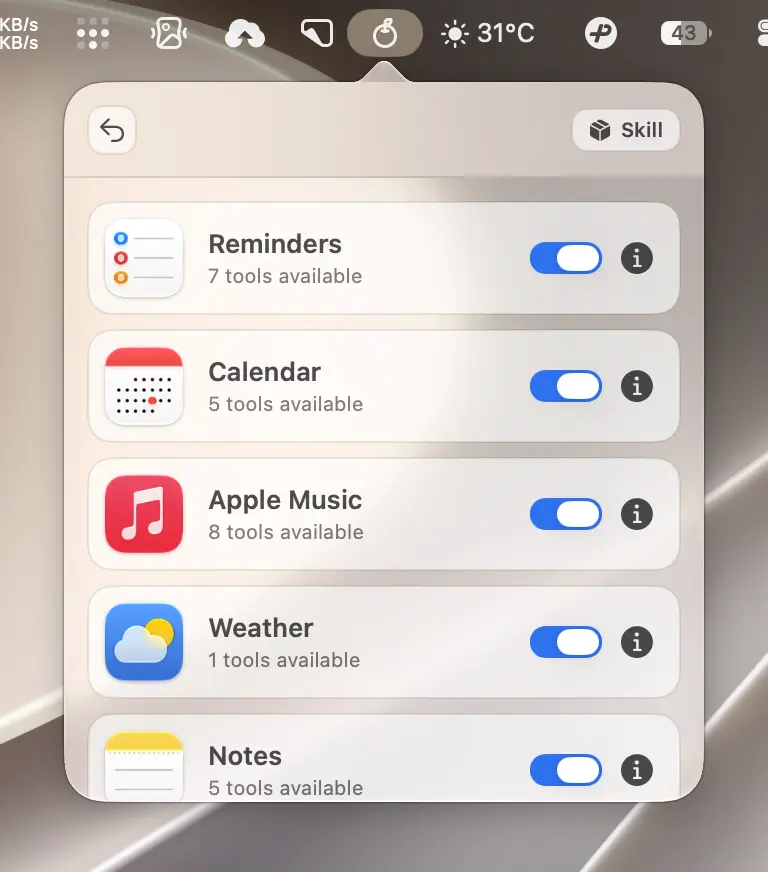
The feature is available on your plan but its toggle is off in the integrations list. This is the most common surprise with Clock: it’s a Free feature but ships disabled by default. Open the Orchard panel, find the app in the integrations list, and switch it on.
Permission errors
“Permission denied for calendar events/reminders…”
Reminders or Calendar access hasn’t been granted, or was revoked. Reopen the request from More Options > Authorization, or grant it directly in System Settings > Privacy & Security > Reminders (or Calendars).
Birthday calendar lookups report a permission error
Querying calendar_info with calendar_type=birthday actually checks your Reminders permission, not Calendar. If this fails, confirm Reminders access is granted, even though the request looks calendar-related.
“Mail database not found…” or Mail reads fail
Reading mail needs Full Disk Access. Grant it in System Settings > Privacy & Security > Full Disk Access, or use the in-app guide:
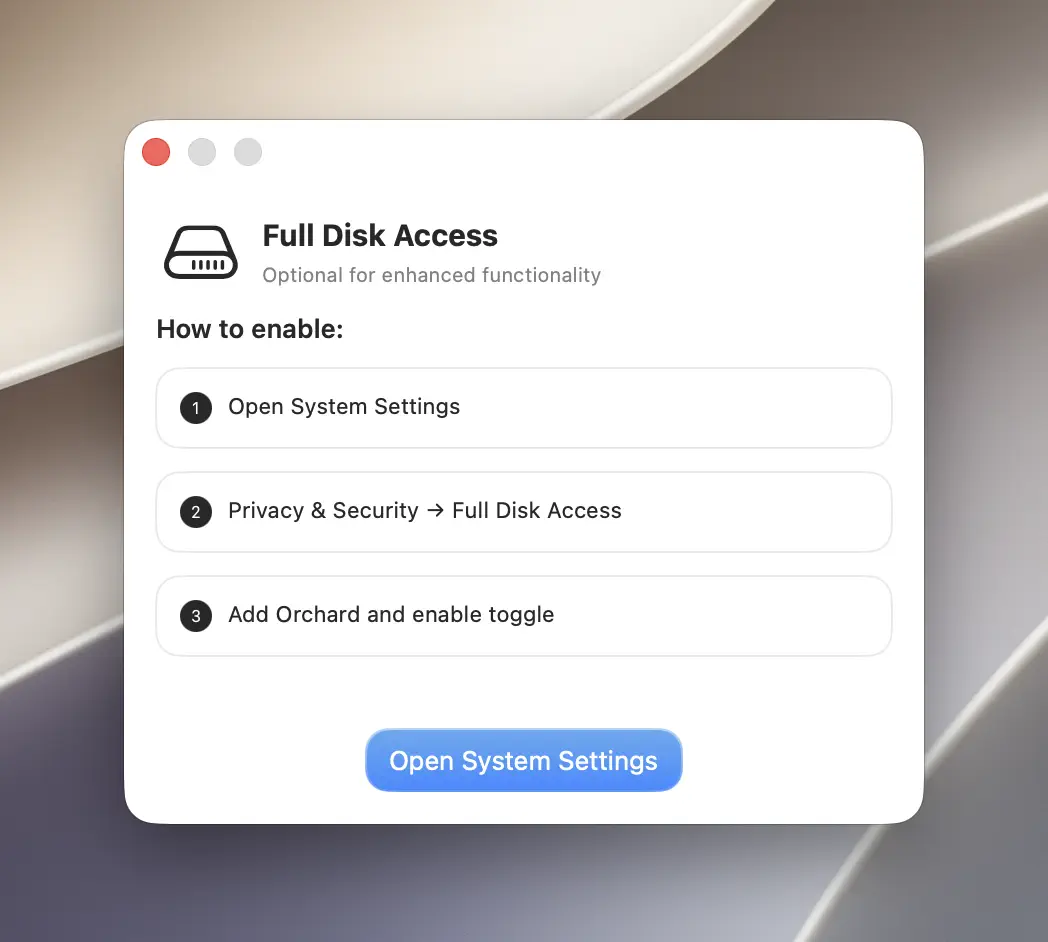
The same message also appears if Mail.app has never had an account configured; check that first if Full Disk Access is already granted.
Messages reads fail with a database error
This is also a Full Disk Access problem; the error text just doesn’t say so explicitly. Grant Full Disk Access the same way as for Mail.
Notes search fails and lists two suggestions
Notes search needs both Full Disk Access and the Notes automation permission. If both are missing, the error names both; grant each in System Settings > Privacy & Security.
Automation errors on Music, Mail, Messages, or Notes
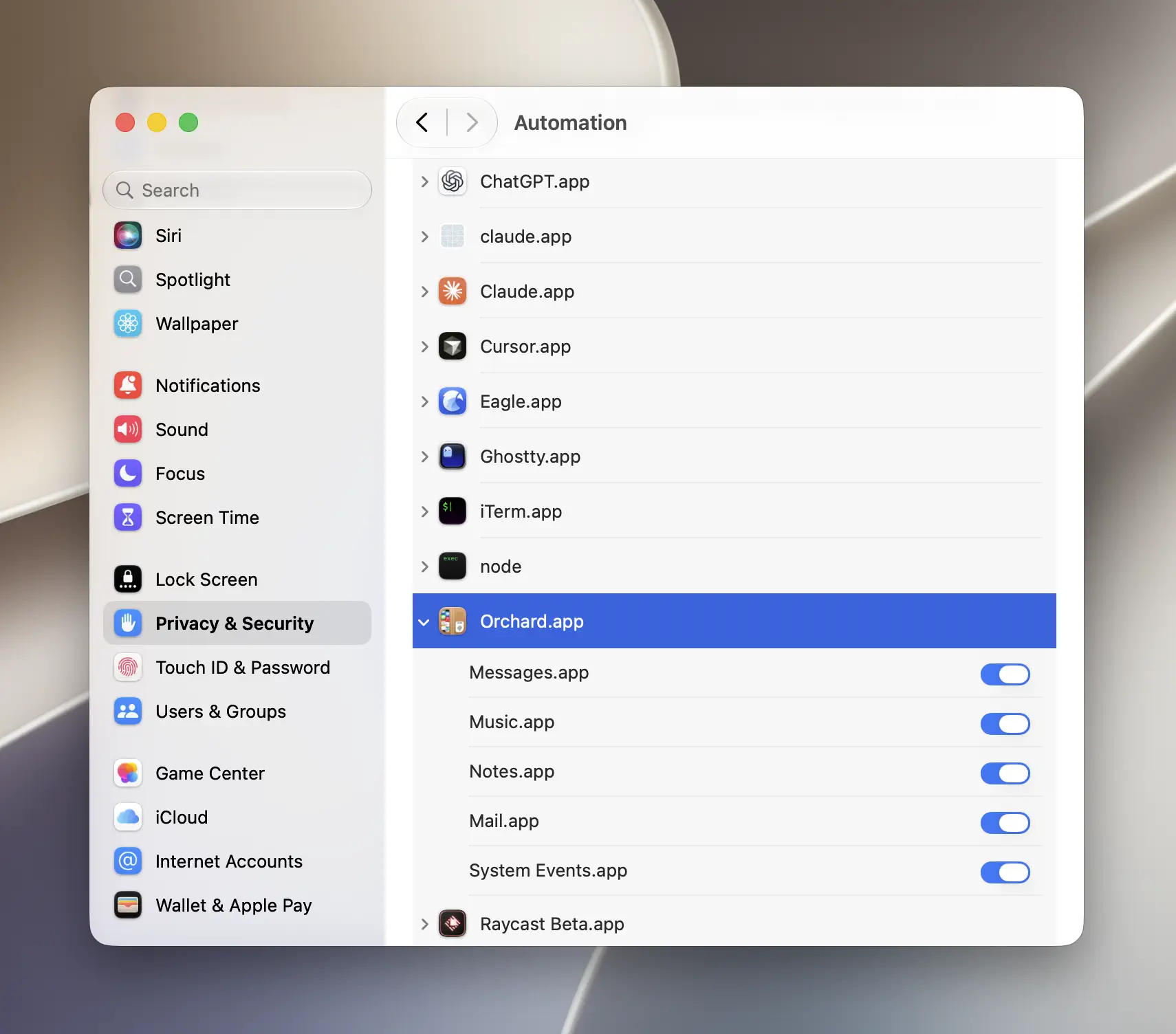
Sending mail or messages, controlling Music, and writing to Notes all need permission for Orchard to control that app on your behalf. The first cross-app call triggers a system permission prompt; if you dismissed it, re-grant it under System Settings > Privacy & Security > Automation.
Shortcuts reports “Grant Orchard automation access…”
Same root cause as above, just with a Shortcuts-specific message. Enable Orchard’s automation access to Shortcuts in System Settings > Privacy & Security > Automation.
Running Shortcuts
shortcuts_run is refused for missing confirm or reason
This is intentional: a Shortcut can perform arbitrary automation, so Orchard refuses to run one unless the caller explicitly confirms it and states why. Pass both:
orchard shortcuts run --name "Daily Briefing" --confirm --reason "Generate today's briefing"Note
This applies at every layer (CLI, Skill, and MCP); there’s no way to bypass it, by design.
shortcuts_run times out
The Shortcut is waiting on user interaction, or it’s running slow. The default timeout is 120 seconds; raise it with --timeout-seconds (up to 270 seconds) if the Shortcut legitimately needs longer.
Scheduled sending
A scheduled email or message never went out
Scheduled sends are tracked and fired by Orchard.app itself, so it should be running at the scheduled time. If Orchard was closed, the item remains pending and is sent after Orchard runs again, but it will be late. Check pending items with orchard mail scheduled list --status pending or orchard messages scheduled list --status pending, then keep Orchard running for time-sensitive sends.
CLI and MCP
orchard: command not found
The CLI symlink isn’t installed. Install it from More Options > Install CLI Tool in the app, or manually with sudo ln -sf "/Applications/Orchard.app/Contents/MacOS/orchard-cli" /usr/local/bin/orchard. See the CLI Reference for details.
An MCP client shows a tool call as “failed,” but the content is an upgrade prompt
This is expected, not a bug. Free accounts see all 52 tools over MCP, but calling a Pro tool returns the same upgrade message the CLI and Skill show, flagged as an error result. Most MCP client UIs render that as a failure, even though the message itself is only informational.
MCP or CLI says Orchard could not be started automatically
Orchard 0.6.2’s CLI and MCP commands try to launch Orchard.app automatically if it isn’t running, waiting up to 10 seconds. If the app was moved, is quarantined, or takes longer to become ready (for example, right after a macOS update), the attempt fails. Open Orchard.app manually, then retry the same command.
CLI or MCP stays disconnected after Orchard crashed
Update to Orchard 0.6.2 or later and relaunch the app. This release automatically clears stale local connection state left by an unclean exit. If the current version is still unreachable, run orchard doctor, then quit and reopen Orchard once.
Skill installation
Why does Orchard work in Claude Desktop but not in Cowork?
Cowork runs commands inside an isolated sandbox, so it cannot see the orchard CLI installed on your Mac. Orchard 0.6.2 solves this by letting the current Skill switch to MCP tools bridged through Claude Desktop. If the Skill is old or Claude Desktop has no Orchard MCP entry, Cowork can still report the CLI/app as missing.
- Update Orchard to 0.6.2 or later.
- Open More Options → Show Welcome Screen → Use Orchard with Skills and install/update the Claude Desktop Skill.
- On MCP for Claude Desktop, Cursor & more, click Verify and confirm it reports Claude Desktop: configured.
- Fully quit and reopen Claude Desktop, then start a new Cowork task.
If Verify fails, click Copy Config and merge the copied mcpServers.orchard entry into ~/Library/Application Support/Claude/claude_desktop_config.json, preserving your other MCP servers. See Claude Desktop and Cowork for the complete manual steps.
The Skill is installed, but my agent doesn’t recognize it
Agents load Skills at startup, so a running session won’t pick up a newly installed or updated Skill until you restart it. If you’re still stuck after restarting, double-check the location: Claude Desktop’s Skill import lands in a different place than Claude Code’s ~/.claude/skills/orchard, and the two are easy to mix up. See Claude Code or Claude Desktop for the exact path.