Apple Mail MCP Server & CLI for Mac
Orchard is an Apple Mail MCP server and command-line tool for Mac. Connect Claude, ChatGPT, Codex, Cursor, or any MCP client to the Mail app to search, read, send and schedule email — with no IMAP credentials or cloud relay, because Orchard reads your local Mail database and sends through Mail.app itself. Triaging and answering email happens through conversation instead of digging through your inbox. Mail is a Pro feature.
Works with: Claude Code, Claude Desktop, ChatGPT, Codex, Cursor, Raycast AI, Gemini CLI, GitHub Copilot, and any MCP client — through the Orchard Agent Skill, the orchard CLI, or the Orchard MCP server.
What you can do
- “Search my email for anything from Sarah about the contract.”
- “What are my unread emails from today?”
- “What unread emails came in between December 1st and December 15th?”
- “Send an email to alex@example.com with the subject ‘Meeting notes’ and a summary of today’s call.”
- “Schedule an email to the team for 9am tomorrow reminding them about the deadline.”
- “Mark all the emails in my Newsletters mailbox as read.”
Available tools
| Tool | Description |
|---|---|
mail_send | Send an email now, or schedule it for a future scheduled_time. |
mail_read | Read email in five modes: search, content, unread, list, thread. |
mail_mark | Mark one or more emails read/unread. |
mail_refresh | Refresh/sync a mailbox to check for new mail. |
mail_accounts | List configured accounts, mailboxes, and unread counts. |
mail_scheduled_list | List scheduled emails, optionally filtered by status. |
mail_scheduled_cancel | Cancel one pending email by ID, or delete selected schedule records by ID list or status. An explicit target is always required. |
mail_read’s list mode omits mailbox_name to pull emails across every account. search, unread, and list all support date-range filtering via date_from and date_to, plus offset for paging past the first page once a mailbox has more matches than limit. For content and thread, max_body_length trims how much of a long message body comes back.
Finding a sender address
Call mail_accounts before mail_send if you’re not sure which address to send from — it returns every configured account’s email address so you can pass the right one as from_account.
Pass include_mailboxes: false (CLI: --include-mailboxes false) when you only need account addresses and want to skip the longer per-account mailbox list.
Required permissions
Mail needs two permissions, split by operation:
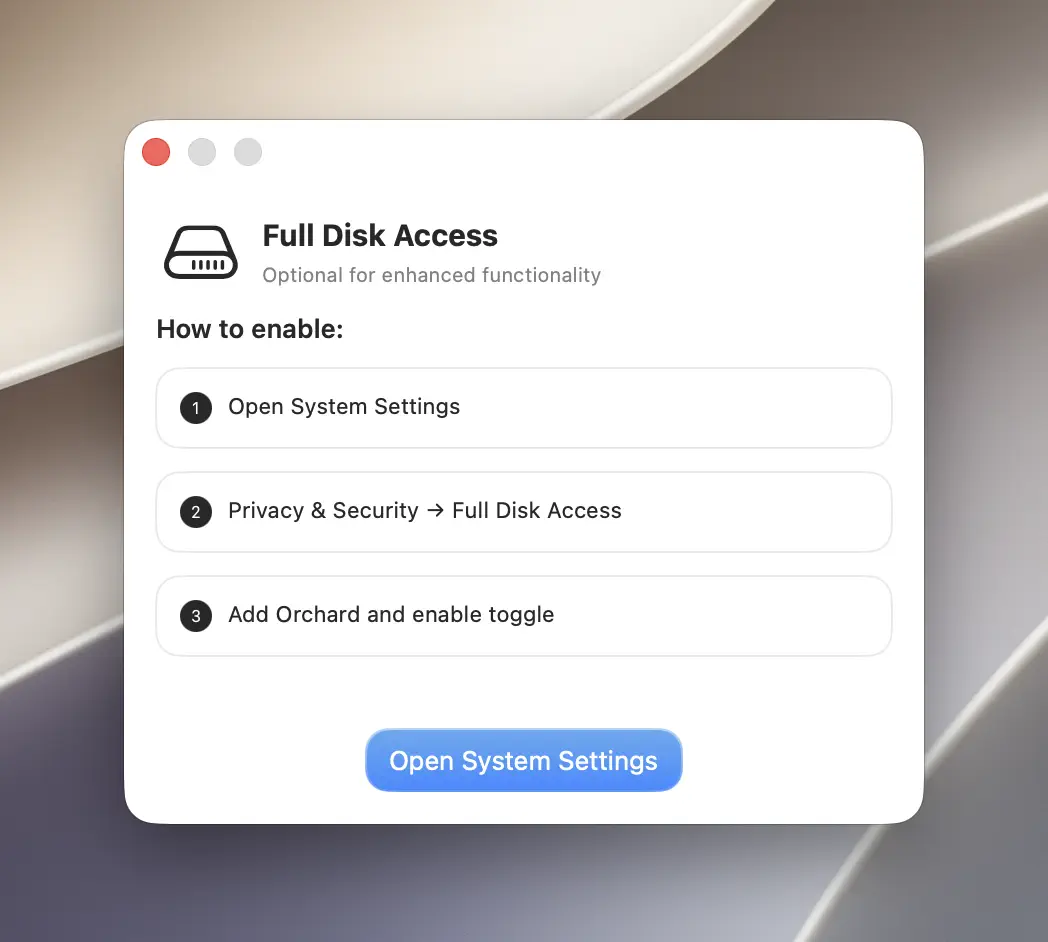
- Full Disk Access — required to read your mail (
mail_read,mail_accounts). - Automation (control of the Mail app) — required to send, mark, and refresh mail (
mail_send,mail_mark,mail_refresh).
mail_mark is a partial exception: marking by message_id or message_ids needs both permissions, since Orchard has to look up which mailbox a message lives in (Full Disk Access) before it can flip its read status (Automation). Marking an entire mailbox or account at once only needs Automation.
If Full Disk Access is missing, mail_read fails with “Mail database not found. Please ensure Mail.app is configured and Full Disk Access is granted to Orchard.” The same error appears if Mail.app has never had an account configured.
CLI usage
The orchard mail command exposes accounts, read, send, mark, refresh, and scheduled (with list / cancel subcommands).
orchard mail read --type unread --limit 10orchard mail read --type search --query "contract" --limit 20orchard mail read --type unread --date-from 2024-12-01 --date-to 2024-12-15Add --offset to page past the first batch once a mailbox has more matches than --limit — for example --limit 20 --offset 20 for the second page. On content and thread reads, --max-body-length trims a long message body down to size:
orchard mail read --type content --message-id "<abc123@mail.example.com>" --max-body-length 500orchard mail send --to "alex@example.com" --subject "Meeting notes" --content "Here's a summary..."orchard mail send --to "team@example.com" --subject "Reminder" --content "Deadline is tomorrow." \ --scheduled-time "2026-07-14T09:00:00-07:00"orchard mail mark --message-ids "id1,id2,id3" --status read--message-ids is optional: omit it and pass --mailbox (plus an optional --account if you have more than one) to mark every message in a mailbox at once, matching “Mark all the emails in my Newsletters mailbox as read”:
orchard mail mark --mailbox "Newsletters" --status readorchard mail scheduled listFilter schedule records by pending, sent, or cancelled status:
orchard mail scheduled list --status pendingUse exactly one target mode when cancelling or cleaning up schedule records:
orchard mail scheduled cancel --id EMAIL_IDorchard mail scheduled cancel --ids "EMAIL_ID_1,EMAIL_ID_2"orchard mail scheduled cancel --status cancelled--idchanges one pending email tocancelledso it remains in history.--idspermanently deletes the listed schedule records, regardless of status.--statuspermanently deletes every schedule record with that status (pending,sent, orcancelled).
Bulk cleanup is destructive
Review the filtered list before using --ids or --status. Orchard 0.6.2 rejects a cancel command with no ID or status, so an incomplete call can no longer erase all schedule records, but a valid status filter can still delete a large batch intentionally.
Every subcommand accepts --json for machine-readable output. Run orchard mail <subcommand> --help for the full flag list, or orchard help mail <subcommand> for the same information. See the CLI Reference.
Tips & limitations
- Orchard needs to stay running for a scheduled send to go out. If it’s quit or restarted before the scheduled time, nothing is lost: the send still happens once Orchard is open again, though it may go out a little late rather than exactly on time. Check pending sends with
mail_scheduled_list. mail_readwithtype=contentortype=threadneeds amessage_id; get one first fromsearch,unread, orlist.- By default, a
contentread returns up to 10,000 characters of body text, and each message in athreadis capped around 1,200; raise or lower that withmax_body_lengthif a body is getting cut off or you want a shorter summary. - Recipients and CC lists are comma-separated on the CLI (
--to "a@x.com,b@x.com").
Get started
- Download Orchard for macOS (macOS 13 or later; Mail is included in Pro).
- Connect your AI client: Claude Code, Claude Desktop, Codex, Cursor, Raycast AI and other agents, or any MCP client.
- Or skip the chat entirely and use the
orchardCLI from your terminal.