iMessage MCP Server & CLI for Mac
Orchard is an iMessage MCP server and command-line tool for Mac. It gives Claude, ChatGPT, Codex, Cursor, or any MCP client read/write access to the Messages app (iMessage and SMS), including scheduled sending, so catching up on texts and sending replies doesn’t mean reaching for your phone. Reads come from your local Messages database and sends go through Messages.app, all on-device. Messages is a Pro feature.
Works with: Claude Code, Claude Desktop, ChatGPT, Codex, Cursor, Raycast AI, Gemini CLI, GitHub Copilot, and any MCP client — through the Orchard Agent Skill, the orchard CLI, or the Orchard MCP server.
What you can do
- “Find my conversation with Jamie and show the last few messages.”
- “Did anyone message me about the project deadline today?”
- “Send a text to +1 555 123 4567 saying I’m running 10 minutes late.”
- “Schedule a message to Mom for 8am tomorrow wishing her a happy birthday.”
- “List any messages I have scheduled to go out.”
Available tools
| Tool | Description |
|---|---|
messages_read | Search chats/conversations, or search recent messages, via a type parameter. |
messages_send | Send a message now, or schedule it for a future scheduled_time. |
messages_scheduled_list | List scheduled messages, optionally filtered by status. |
messages_scheduled_cancel | Cancel one pending message by ID, or delete selected schedule records by ID list or status. An explicit target is always required. |
messages_read takes type=chats to find conversations (by contact name, phone number, or group name) or type=messages to search message text, optionally scoped to a chat_identifier. messages_send accepts either a chat_identifier (phone number or email) or a contact_name to look up, plus a service_name of iMessage or SMS (default iMessage); group chats need a group_name.
Look up chats first
If you don’t know a contact’s exact phone number or chat identifier, call messages_read with type=chats first — it returns the identifiers you need for messages_send or a scoped messages_read with type=messages.
SMS needs iPhone forwarding
Sending over SMS (as opposed to iMessage) only works if your iPhone has Text Message Forwarding enabled for this Mac (Settings > Messages > Text Message Forwarding on iPhone). Without it, SMS sends fail even though the tool accepts the request.
Required permissions
Messages needs two permissions, split by operation:
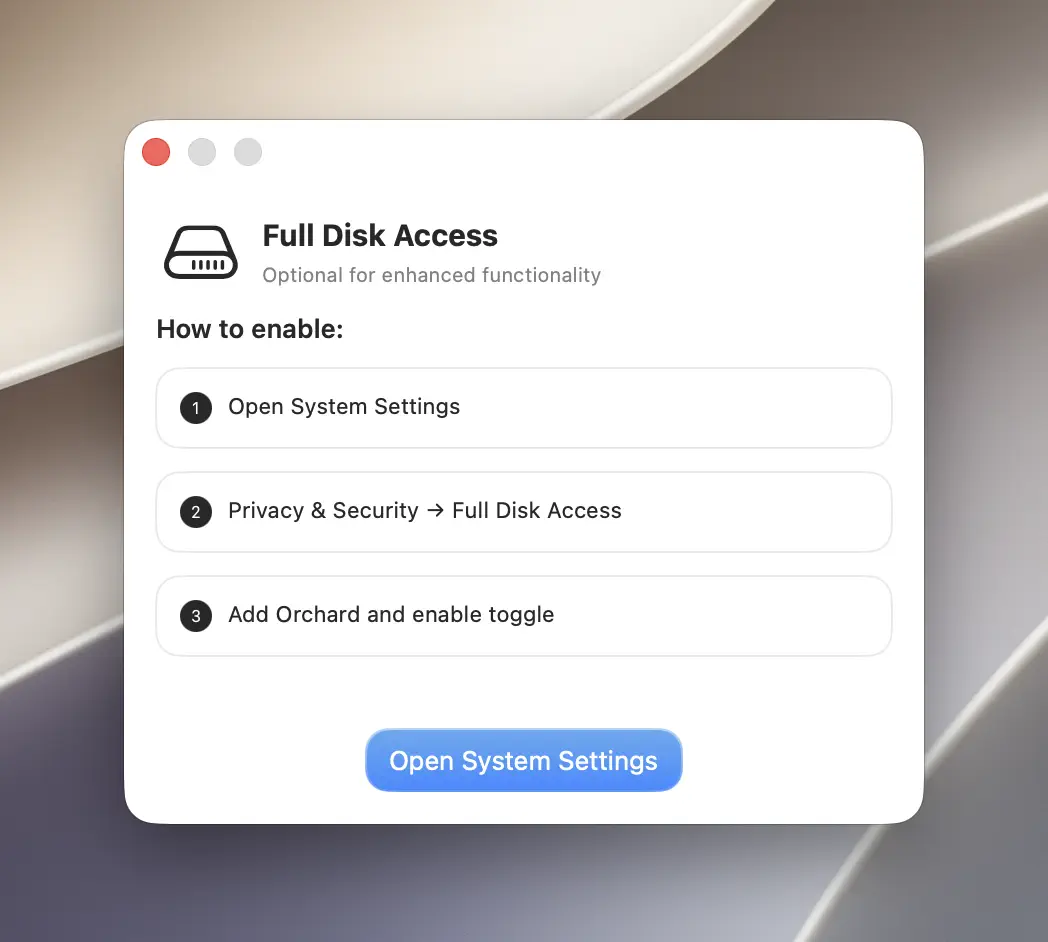
- Full Disk Access — required to read your Messages history (
messages_read). - Automation (control of the Messages app) — required to send messages (
messages_send).
messages_send needs Full Disk Access too when addressing a chat by contact_name instead of a direct chat_identifier, since looking up the right conversation for a name requires the same access as reading your Messages history.
Unlike Mail, a missing Full Disk Access permission surfaces as a cryptic low-level error rather than a message that names the permission directly. If messages_read fails with an unclear “unable to open” style error, check Full Disk Access first. See Troubleshooting for this exact symptom.
CLI usage
The orchard messages command exposes read, send, and scheduled (with list / cancel subcommands).
orchard messages read --type chats --query "Jamie"orchard messages read --type messages --chat "+15551234567" --limit 20orchard messages send --to "+15551234567" --text "Running 10 minutes late"--to takes a phone number, email, or a chat identifier from messages read. If you’d rather not look a number up first, --contact-name addresses the recipient by name:
orchard messages send --contact-name "Jamie" --text "Running 10 minutes late"Group chats need two things together: the group’s chat identifier as --to (find it with read --type chats) and the group’s name as --group-name. Leaving either out fails with “Group name is required for group chats” or a missing-recipient error.
orchard messages read --type chats --query "Weekend Trip"orchard messages send --to "chat260805679483400512" --group-name "Weekend Trip" --text "See you all Saturday"orchard messages send --to "+15551234567" --text "Happy birthday!" \ --scheduled-time "2026-07-14T08:00:00-07:00"orchard messages scheduled listFilter by status, or use one explicit target mode to cancel/clean up records:
orchard messages scheduled list --status pendingorchard messages scheduled cancel --id MESSAGE_IDorchard messages scheduled cancel --ids "MESSAGE_ID_1,MESSAGE_ID_2"orchard messages scheduled cancel --status cancelled--idchanges one pending message tocancelledso it remains in history.--idspermanently deletes the listed schedule records, regardless of status.--statuspermanently deletes every schedule record with that status (pending,sent, orcancelled).
Bulk cleanup is destructive
List and review the target status first. Orchard 0.6.2 rejects a cancel command with no ID or status, preventing an incomplete call from deleting every record, but a valid status filter is still a real bulk delete.
Every subcommand accepts --json for machine-readable output. Run orchard messages <subcommand> --help for the full flag list, or orchard help messages <subcommand> for the same information. See the CLI Reference.
Always pass --query with --type chats
--query is listed as optional in --help, but in practice you should always pass it when running orchard messages read --type chats. Omitting it searches with an empty term across every chat, which tends to return noisy or unhelpful results: narrow it to a contact name, number, or group name instead.
Tips & limitations
- Orchard needs to stay running for a scheduled send to go out. If it’s quit or restarted before the scheduled time, nothing is lost: the send still happens once Orchard is open again, though it may go out a little late rather than exactly on time. Check pending sends with
messages scheduled list. messages_readwithtype=messagesreturns the most recent matches first; use--limitto control how many come back.
Get started
- Download Orchard for macOS (macOS 13 or later; Messages is included in Pro).
- Connect your AI client: Claude Code, Claude Desktop, Codex, Cursor, Raycast AI and other agents, or any MCP client.
- Or skip the chat entirely and use the
orchardCLI from your terminal.