Free vs Pro
Orchard’s Free plan is a genuinely usable product, not a trial.
What’s in each plan
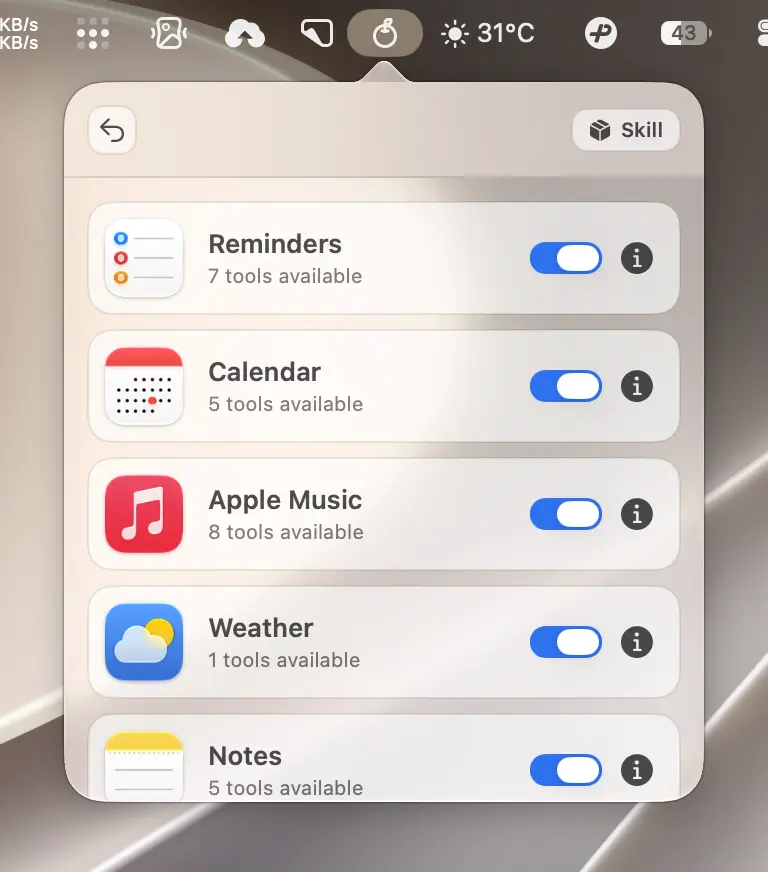
Orchard integrates with 11 Apple apps through 52 tools. Free unlocks 3 of those apps with no usage limits; Pro unlocks the remaining 8.
| App | Tools | Plan |
|---|---|---|
| Reminders | 7 | Free |
| Calendar | 5 | Free |
| Clock | 2 | Free |
| Notes | 5 | Pro |
| 7 | Pro | |
| Messages | 4 | Pro |
| Contacts | 5 | Pro |
| Maps | 4 | Pro |
| Apple Music | 8 | Pro |
| Weather | 1 | Pro |
| Shortcuts | 4 | Pro |
Caution
Clock is Free but not enabled by default: the default feature set is Reminders and Calendar only. Turn Clock on in the integrations list to use it.
There’s no per-call or per-day limit on Free apps: Reminders and Calendar tools work identically on both plans.
On a Free account, the integrations list marks each Pro app with a PRO badge; once you upgrade, the badges disappear and every toggle simply works.
What happens when a Free account calls a Pro tool
Nothing breaks. The tool call returns a clear, actionable error instead of silently failing:
'<Feature>' is a Pro feature. Upgrade to Orchard Pro to unlock it. Open Orchard app for details.This applies across all connection channels. In MCP clients specifically, the tool still appears in your client’s tool list even on Free; calling it returns this message as an error result, which some MCP clients display as a failed call. That’s expected, not a bug; see Troubleshooting for more on that distinction.
A separate message appears if a feature is Pro-unlocked but switched off in the integrations list:
'<Feature>' is currently disabled. Enable it in Orchard app settings to use this tool.Upgrading
Every place a Pro feature is locked (a toggle in the integrations list, a Pro tool call) offers an upgrade path that opens the Orchard pricing page in your browser.
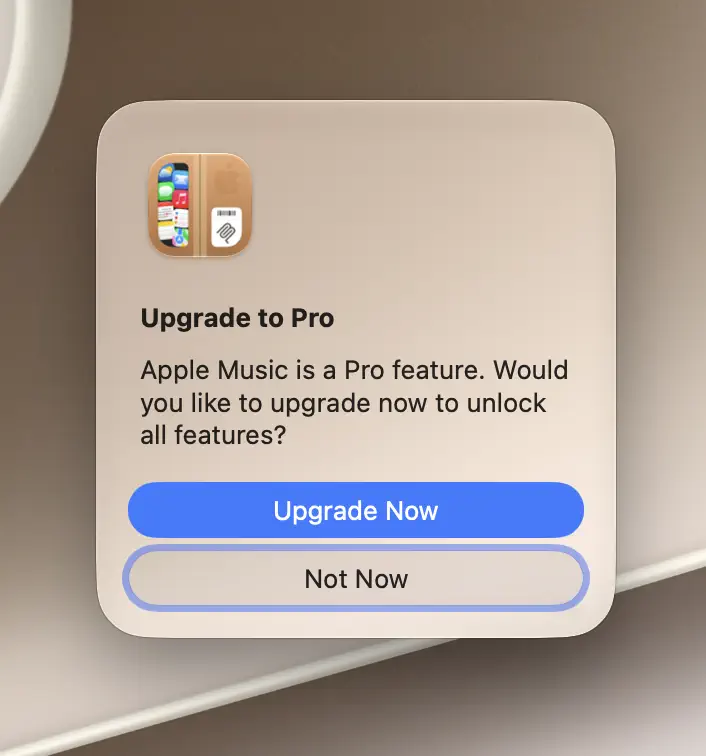
After you open the pricing page, Orchard checks your subscription status automatically in the background: no manual refresh, no restart of the app or your AI client. Most upgrades unlock within about a minute of completing checkout. If Pro doesn’t unlock after a few minutes, use the refresh button next to your account in the main panel.
Lifetime
A Lifetime purchase counts as Pro permanently: no renewal date to track, and it doesn’t expire even if your card on file changes.
What happens when Pro expires
If a monthly or annual subscription lapses (payment failure, cancellation, non-renewal), Orchard detects it on the next subscription check and:
- Shows a “Pro Subscription Expired” notice.
- Shrinks your enabled features down to the Free set (Reminders, Calendar, and Clock; Clock is switched on as part of this reset even if it wasn’t enabled before).
If you resubscribe later, re-enable any Pro apps you want in the integrations list; Orchard doesn’t remember which Pro apps were on before the lapse.
Related reading
Pro apps still need their own macOS permissions once unlocked; see the Permissions Guide.