Apple Music MCP Server & CLI for Mac
Orchard is an Apple Music MCP server and command-line tool for Mac. It connects Claude, ChatGPT, Raycast AI, Codex, or any MCP client to the Music app for playback control, library and catalog search, and playlist management, through Apple’s MusicKit framework. Apple Music is a Pro integration.
Works with: Claude Code, Claude Desktop, ChatGPT, Codex, Cursor, Raycast AI, Gemini CLI, GitHub Copilot, and any MCP client — through the Orchard Agent Skill, the orchard CLI, or the Orchard MCP server.
What you can do
- “Play my Focus playlist.”
- “Skip to the next track and set the volume to 30.”
- “What’s currently playing?”
- “Add ‘Blinding Lights’ and ‘Levitating’ to my Workout playlist.”
- “Create a playlist called Road Trip with these songs: …”
Available tools
| Tool | Description |
|---|---|
music_control | Playback control: play, pause, stop, next, previous, volume (0–100), shuffle (on/off), repeat (off/one/all). |
music_play | Play a song, album, or playlist by name from your local library, with an optional artist hint to narrow the match. |
music_info | Get information: playback (current track and status), library (track/playlist counts), albums, or playlists. |
music_search | Search the Apple Music catalog and library for songs, albums, artists, or playlists; returns catalog IDs. |
music_playlist_create | Create a new user playlist, optionally seeded with songs from your library. |
music_playlist_add | Add library songs to an existing user-created playlist. |
music_playlist_remove | Remove songs from a user-created playlist. |
music_playlist_delete | Delete a user-created playlist. |
User-created playlists only
music_playlist_add, music_playlist_remove, and music_playlist_delete only work on playlists you created; playlists you’re subscribed to from Apple Music are read-only, and attempting to modify or delete one returns an explanatory error.
Required permissions
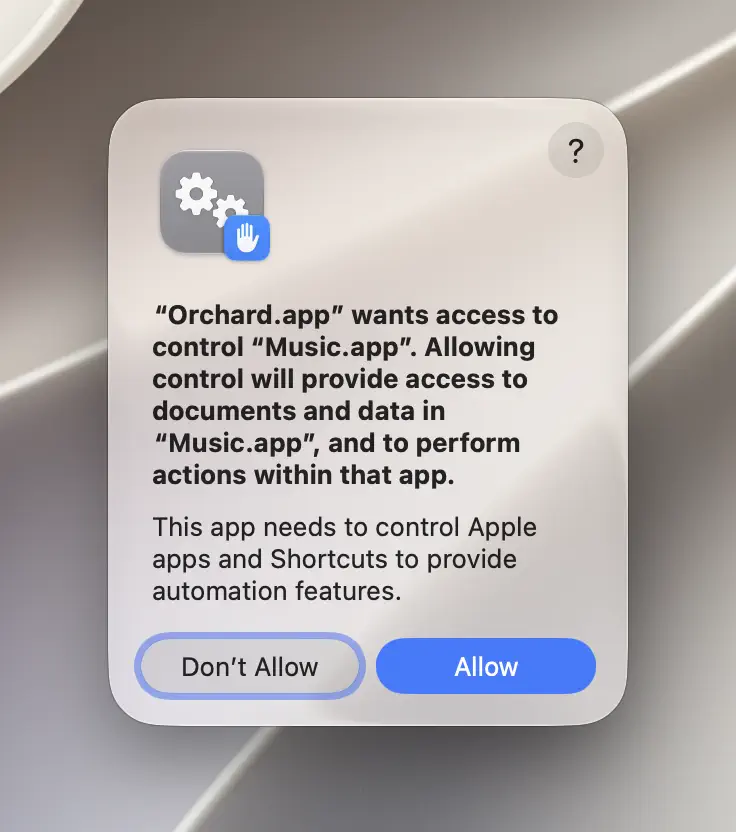
Music needs media library authorization for search and library/album/playlist listings; macOS prompts the first time you use music_search or music_info. Playback control and playlist changes need Automation permission, granted the first time a control or playlist tool runs.
CLI usage
orchard music control --action playorchard music control --action stoporchard music control --action volume --value 40orchard music info --type playlistsorchard music playlist add --name "Workout" --songs "Blinding Lights,Levitating"orchard music playlist remove --name "Workout" --songs "Levitating"Playlist add and remove take --name for the playlist and --songs as a comma-separated list of exact song names from your library. Older --playlist-id and --song-ids flags still work as legacy aliases, but --name/--songs is the form Orchard’s own examples and Skill guidance use.
Tips & limitations
music_searchreturns catalog IDs for items not yet in your library. To play a catalog result, add it to your library from the Music app first: search doesn’t add items automatically.music_playsearches your local library by name (with fuzzy matching for names that include parenthetical subtitles). If nothing matches, it returns a suggestion to checkmusic_info(typealbumsorplaylists) instead of failing silently.music_infowith typelibrary,albums, orplaylistsrequires macOS 14 or later; on older systems these return an error and onlyplaybackstatus works.- Song matching for playlist operations is exact-name based; make sure the name you pass matches your library exactly, including punctuation.
Get started
- Download Orchard for macOS (macOS 13 or later; Apple Music is included in Pro).
- Connect your AI client: Claude Code, Claude Desktop, Codex, Cursor, Raycast AI and other agents, or any MCP client.
- Or skip the chat entirely and use the
orchardCLI from your terminal.